
Chinatown Bus Charging Outlets and WiFi: 5 Key Points to Know
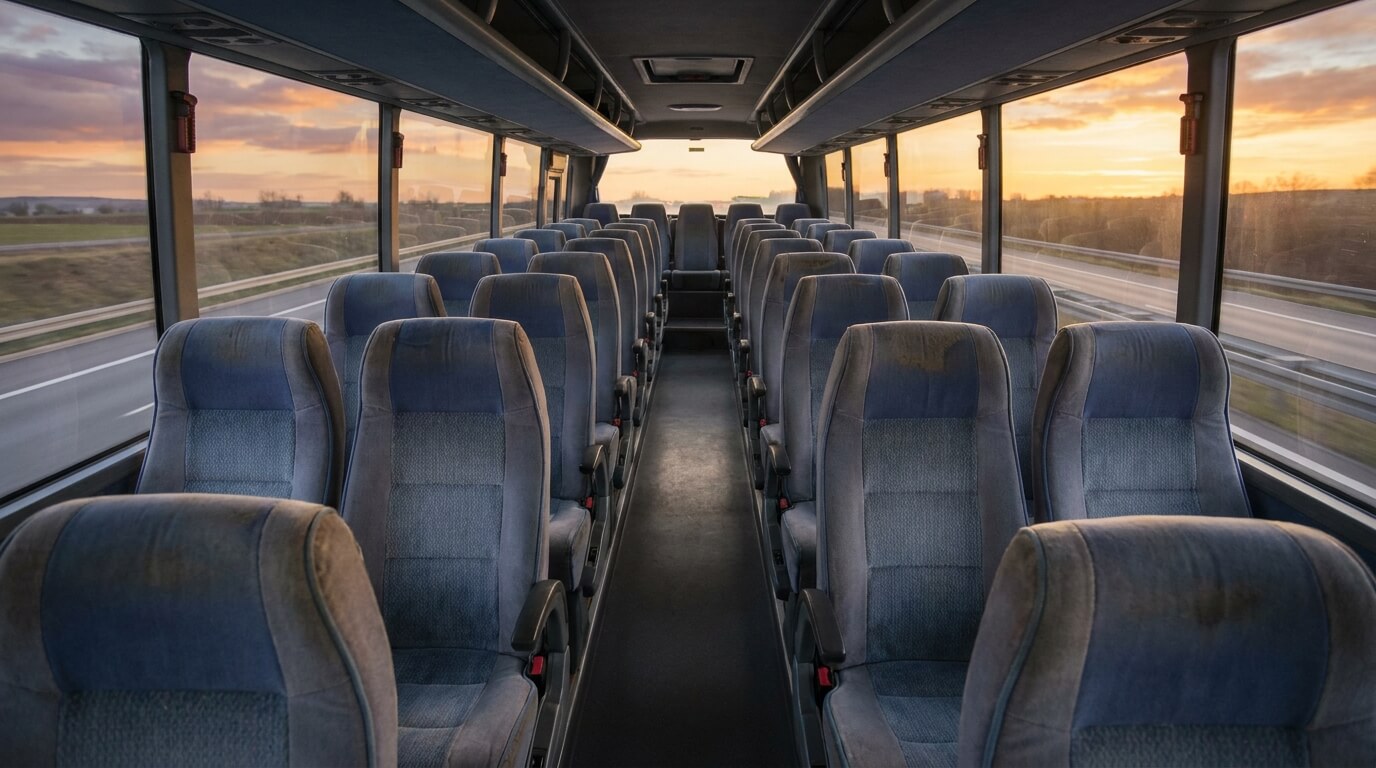
Chinatown bus charging outlets and WiFi are two things almost every rider wants to know about before a long trip. This guide covers five key points, based only on what the StarLine Coach pages say, and it is honest about what they leave out.
The homepage lists free WiFi, power outlets and air conditioning as part of the service. That is a good start, yet it leaves open how many outlets there are and where they sit. Smart riders plan around the Chinatown bus charging outlets and WiFi, but never rely on them completely.
What the pages say about Chinatown bus charging outlets and WiFi
The homepage names three on-board items together, which are free WiFi, power outlets and air conditioning. It does not give a count of outlets, a seat map, or a speed for the WiFi. Nothing on the pages says that every single bus has each item.
That is why this guide treats the three items as likely, not guaranteed. The question of Chinatown bus charging outlets and WiFi comes down to a simple plan, which is to arrive with a full battery and use the onboard options as a bonus.
The app page adds one more detail. After you install the official app, you can watch movies and videos over the bus WiFi without using your own mobile data. The movie page lists mostly older titles, so do not expect the newest releases.
For a wider look at the connection itself, see our article on free WiFi on the bus from New York to Orlando. This guide stays focused on charging and on how to prepare your own devices.
Point one: charge everything before you leave home
For Chinatown bus charging outlets and WiFi, the most reliable outlet is the one in your own house. Charge your phone, tablet, laptop and earbuds the night before, and check the battery again in the morning. A full charge covers the wait at the stop as well as the ride.
Because the pages do not say that every seat has a plug, a rider who counts on the Chinatown bus charging outlets and WiFi may be disappointed. Treat the bus outlets as a top-up. Your first line of defense is a device that starts at 100 percent.
Also remember that your phone is your ticket. The terms say the e-ticket email may be shown on a phone or printed. A dead phone at boarding is a real problem, so keep a printed copy as a backup if you can.
Point two: carry a power bank and the right cables
For the Chinatown bus charging outlets and WiFi, a small power bank is the best insurance for a long trip. Pick one that can charge your phone at least once, and keep it in your carry-on, not the checked bag.
Bring the short cable and the wall plug your phone needs, plus a spare cable if you have one. A cable that is too short can be a problem when an outlet is out of easy reach. A two-meter cable gives you more freedom.
Plugs vary, so a USB plug adapter or a multi-port charger can help share one outlet with a travel partner. The pages say nothing about the type of outlet, so this is simply a practical idea. It makes the Chinatown bus charging outlets and WiFi easier to use fairly.
Point three: use the WiFi wisely and download first
Free WiFi on a moving coach can be slow or drop out in places, and the Chinatown bus charging outlets and WiFi are no exception. The site publishes no speed or coverage promise. Download your music, shows, maps and documents at home.
If you plan to use the official app for movies, install it and sign in before the trip. The app page says it lets you find tickets, book, manage a trip, check points and watch movies. Setting it up on home WiFi saves time at a busy stop.
Public WiFi is shared with other riders, so avoid logging in to banking pages while you use the Chinatown bus charging outlets and WiFi. Save sensitive tasks for a trusted connection. For everyday browsing and messages, it should be fine.
If something is not working, tell the driver politely and do not expect an instant fix. The pages do not describe a WiFi support service on board. For booking or ticket questions, customer service is open 24 hours at 646-859-2288, or at help@starlinecoach.com.
Point four: protect your devices and your ticket
A phone left charging in a seat pocket is easy to forget. When you reach your stop, check the seat, the floor and any pocket before you step off. The pages do not describe a lost and found service, so a forgotten charger may be gone for good.
Keep valuable devices in the bag you carry, not in the checked bag. The checked bag must weigh no more than 50 pounds, and it goes into the luggage area where you cannot watch it. Our guide to the Chinatown bus baggage allowance explains the limits.
Also keep your photo ID and e-ticket within easy reach. Both are required at boarding, and the guide on ID rules for the Chinatown bus shows what is accepted. A tidy bag saves a stressful search at the curb.
When you check the Chinatown bus charging outlets and WiFi, check the basics as well. Seats are not assigned and riders must arrive 30 minutes early, so being early also gives you the best chance to see what your bus offers.
Point five: plan for the stops and for delays
Rest breaks last about 5 to 10 minutes, according to the terms. That is not enough time to charge a phone in any meaningful way, so do not plan to recharge at a stop. Use the break to stretch your legs.
Delays are possible, and the FAQ says departure and arrival times are not guaranteed. A longer trip means more battery use, so ration your screen time early. Lower the brightness and close apps you do not need.
Leave a margin at the end of the trip as well. If you must call a ride or a host from your stop, keep enough battery for that call. A sensible rider treats the Chinatown bus charging outlets and WiFi as a helpful extra, not the foundation of the plan.
Tickets are not refundable, including after delays, so there is no cost-free way to rebook because your phone died. Prepare ahead and the problem rarely arises.
A quick checklist for Chinatown bus charging outlets and WiFi
- Charge every device the night before and again before leaving
- Pack a power bank, a spare cable and a plug adapter in your carry-on
- Download shows, music, maps and documents at home
- Install and sign in to the official app before you travel
- Keep your photo ID and e-ticket within easy reach
- Check your seat and pockets for chargers before you get off
Go through the checklist the evening before you travel. With these steps, the Chinatown bus charging outlets and WiFi become a pleasant bonus rather than a worry. Even if one item does not work, your trip still goes smoothly.
Ready to plan your trip? Check the current options on the StarLine Coach website, and confirm your date and stop before you book.